Improvements and fixes
This month we focused on stability and polish for builders:- More reliable editing - Copying conditions, editors, and step visibility settings no longer creates accidental duplicates.
- Cleaner retries - Integration steps that are retried now move into the correct state, so it’s always clear what failed and what’s still running.
- Steadier integrations - Reliability improvements for iManage file uploads.
Power your table dropdowns with datasets
You can now use a dataset as the source for a dropdown column inside a table form field. Build the dataset once and reuse it across every table and workflow that needs it, with consistent, always up-to-date options.For details, see DatasetsImprovements and fixes
- Portals on the go - Browse and pick up portal requests from your mobile device.
- Focus your run view - Collapse the active stage to keep long workflows tidy while you work.
- Reliable dropdowns - Datasets now load correctly in dropdowns on nested steps.
Numbers, now in your tables
Building on the Number field, you can now collect and display numbers and currency values directly in table form fields - and surface them as number columns in the instance table. That means cleaner data entry and reliable values for sorting and reporting.For details, see TablesNext Matter looks great on mobile
We gave the mobile experience a serious upgrade. Your inbox, instance overview, the run view, and portals are now far easier to use on a phone - so you can keep work moving wherever you are.Improvements and fixes
- Faster checkboxes - Tick a checkbox cell in a table with a single click.
- Export team requests - Download the contents of a team requests table to CSV.
- More flexible table data - Pull JSON data straight into your table dropdowns.
- Sidebar apps stay put - Your sidebar app keeps its place when you switch between workflows.
A clearer way to run your workflows
We’ve reimagined the run experience. Steps are now grouped into stages in a clean, collapsible view, so you can follow progress at a glance and always know what needs your attention.Steps that run in the background - like emails, integrations, and automatically delegated steps - are tucked away, keeping the focus on the work that actually needs a person.More polish for the Number field
The Number field keeps getting better. Now you get a live preview of how your numbers and currencies will be formatted as you set them up, plus clearer in-field guidance on what’s expected.Improvements and fixes
- Export your colleagues list - Download your organization’s colleagues to CSV.
- Clearer required columns - Mandatory columns are now clearly marked on table inputs.
- New formatting option - Return just the first item from a JSON list when working with data references.
Dataset filtering
Datasets now support filtering capabilities, bringing significant improvements to the user experience:- Cleaner selections - Dropdown menus no longer display duplicate items, making it easier to find and select the right option
- Smart filtering - Create dynamic parent-child relationships where subsequent dropdown options automatically filter based on previous selections
- Streamlined workflow - Users can now navigate complex datasets more efficiently with contextual, relevant options at each step For details, see Datasets…
Create custom credentials yourself!
Custom credentials now have a self-serve UI. You can easily manage and add custom credentials that you use to connect custom integrations.For details, see Custom credentials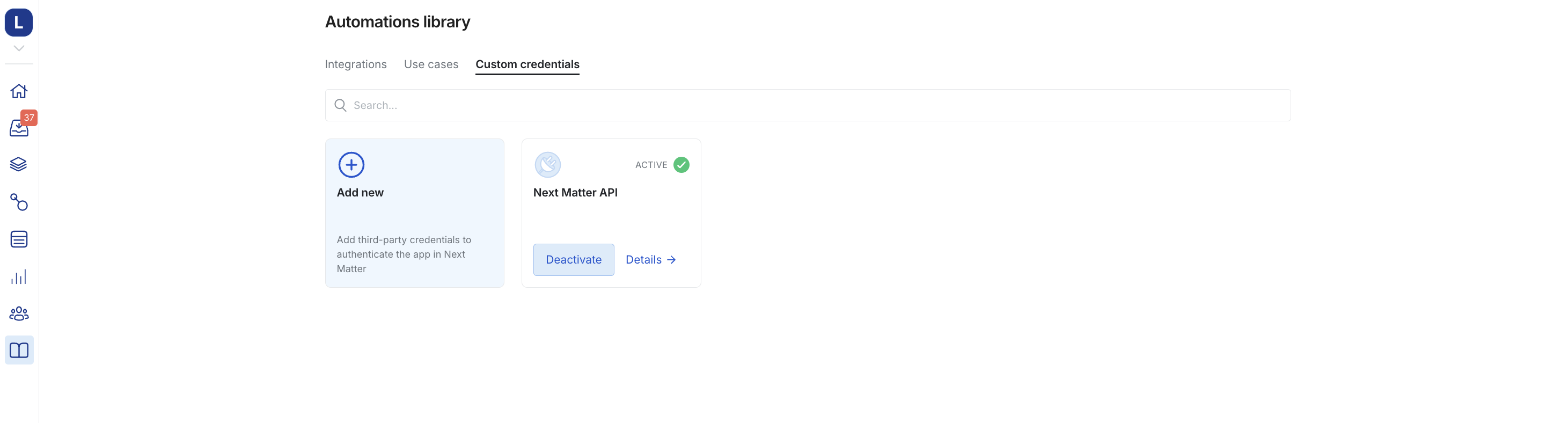
New quick actions ready to use
Quick actions allow you to create new workflow steps in seconds. We’ve added a new bunch for you to use. Now you can:- Turn a JSON object into an escaped string
- Turn a string into a JSON object
- Create custom text and place it on a template
Improvement to Stopping instances using Routing
We’re improving how the system handles stopping instances:- When Stop instance is selected in a decision step or routing field, the instance status will now be stopped (not completed).
- The step status will be declined, but other steps will stay unchanged.
- The API response of a routing-triggered stopped instance will contain the aborted time (not completed time)
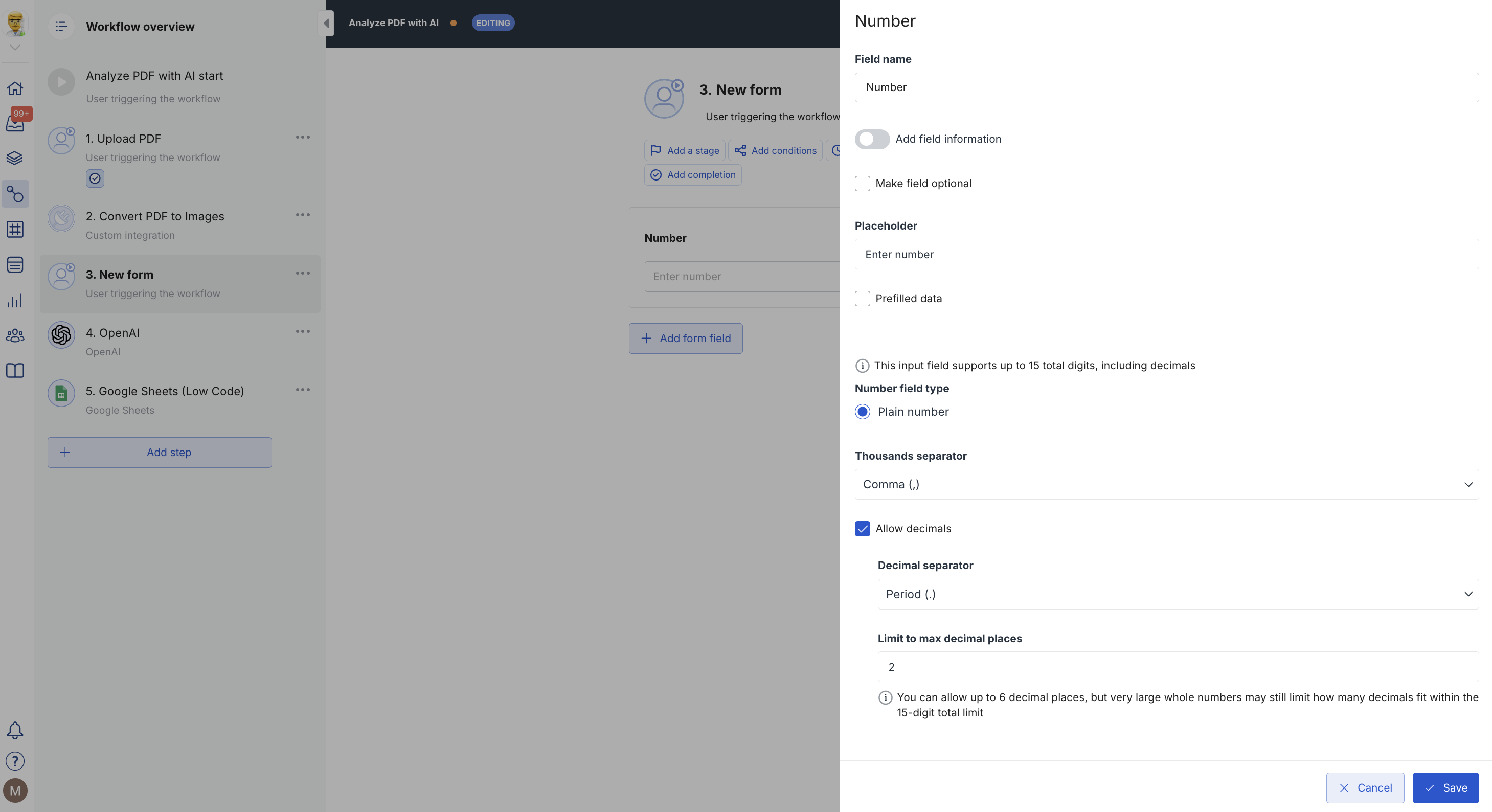
Number form field for all sorts of numbers
We’re excited to introduce a brand-new form field type: the Numbers Field!This lets workflows collect actual numeric values, which means numbers can now be used more reliably across the product for sorting, filtering, and calculations. The field enables you to do customizations:- Choose whether to show decimals
-
Set thousands/decimal separators (e.g., 1,000.00 vs 1.000,00).
Upload files and images to tables
Users can upload (or drag and drop) one image or file per cell. For images, a thumbnail preview appears right in the cell for easy reference.It’s a great improvement for processes that involve collecting visuals or documents from users.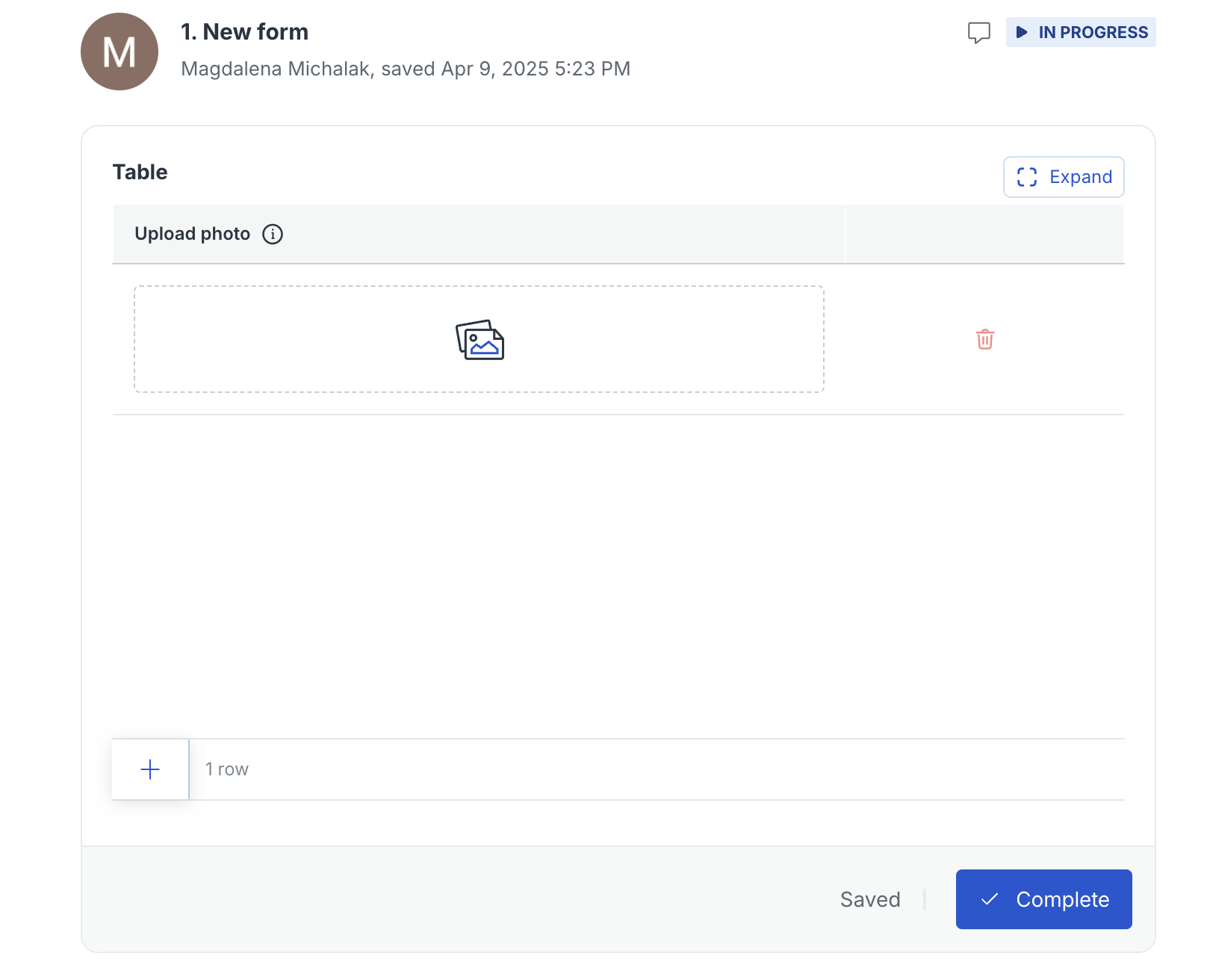
Datasets
Datasets let you store large data tables directly in Next Matter, making it the single, central place for managing and using data. You can turn data columns into single-select dropdowns and easily share the same dataset across multiple users and workflows.For details, see Data sets
Copy and paste images into conversations
Now if any workflow is causing issues, simply screenshot it, copy the pic, and CTRL + V it into the conversation window. Effective conversations sometimes require only a second!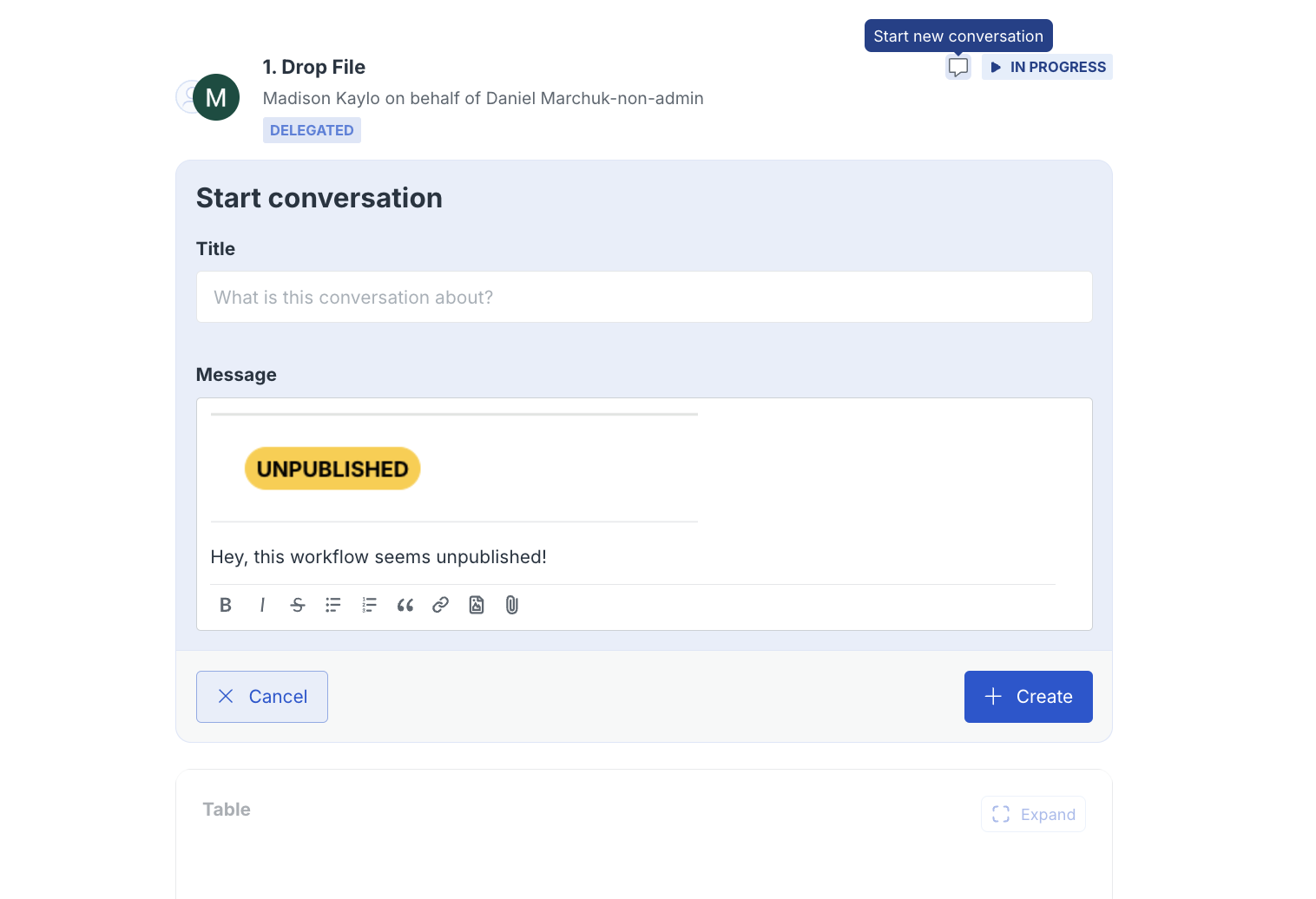
Date field for tables
We’ve just introduced a new input type to the table form field - date fields!Builders can now easily collect date inputs from users through a user-friendly date picker directly within the table. This is perfect for workflows that require tracking of due dates, scheduling, timelines, or any other time-based data.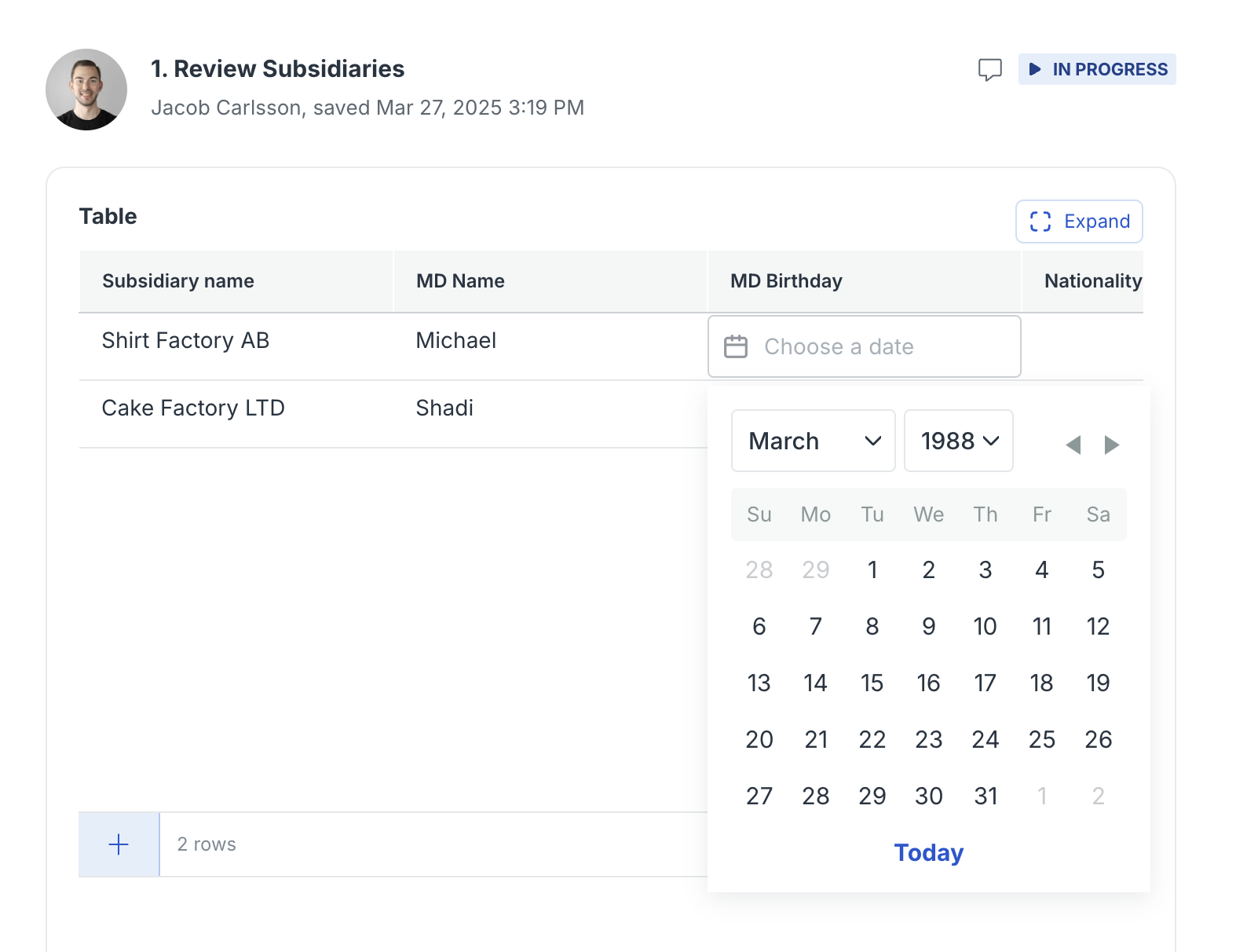
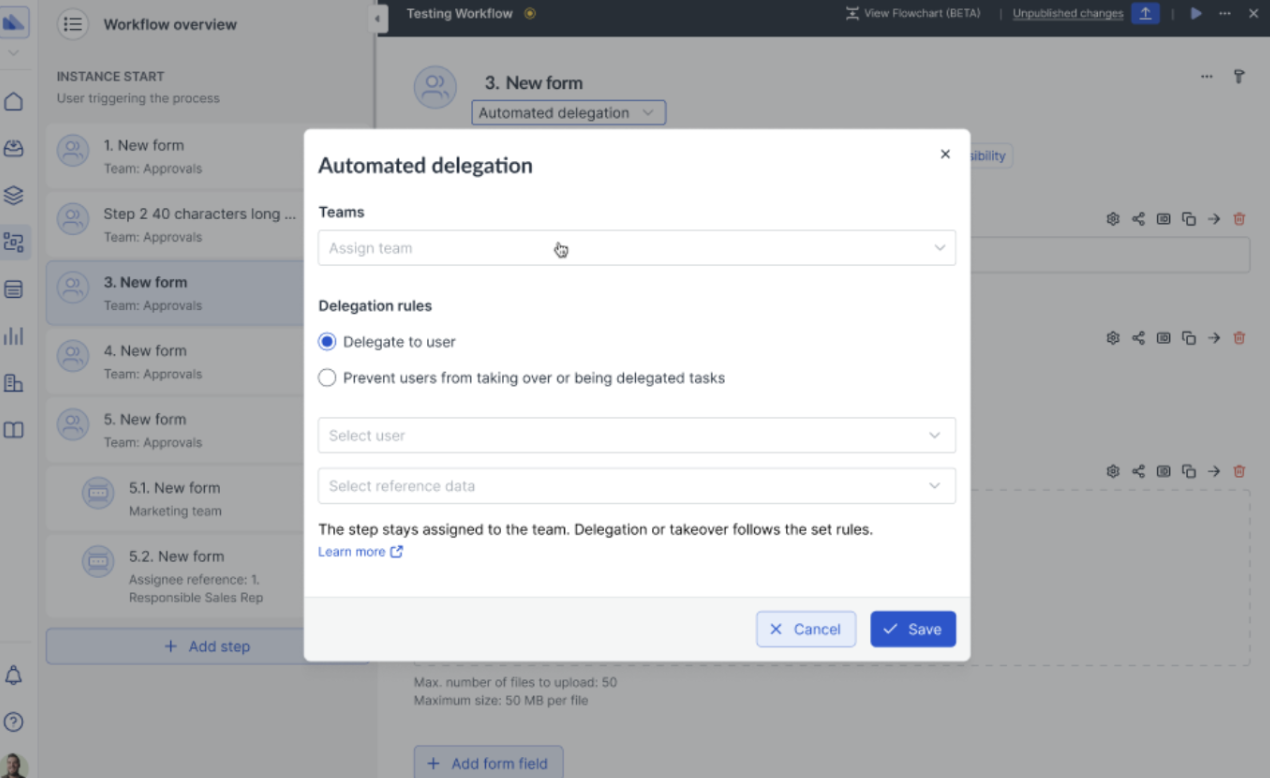
Smarter task assignments with automated delegation
When a step is assigned to a team, it lands in the Next Matter team inbox, where any team member can pick it up. But what if certain tasks should always go to the same person, or never to the same person?With automated delegation, you can:- Ensure continuity by assigning related tasks to the same user.
- Enforce security or approval policies by preventing the same user from completing certain steps.
Validation rules for Date input
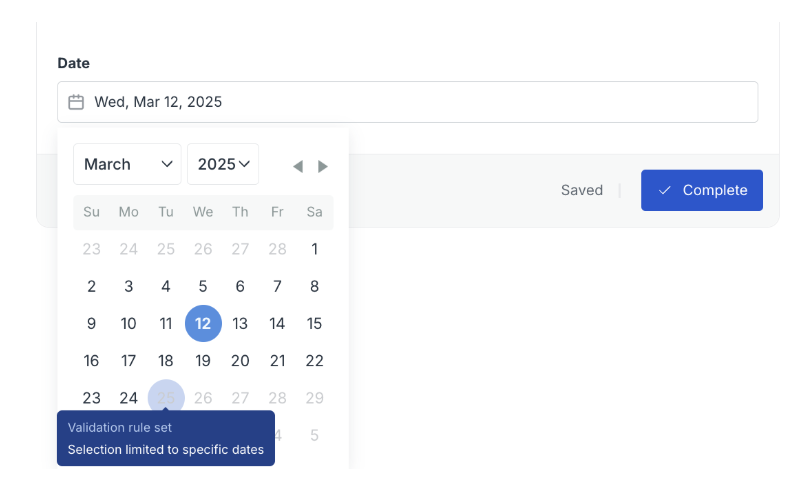
Builders can now define validation rules for Date fields to restrict input to specific ranges. These rules help ensure that entered dates meet important criteria based on the step or instance context.Examples of supported rules:- Date must be after the instance start
- Date must be before the deadline of a specific step
- Date must be at least 18 years ago
- Date must be no more than 5 days after the step activation time
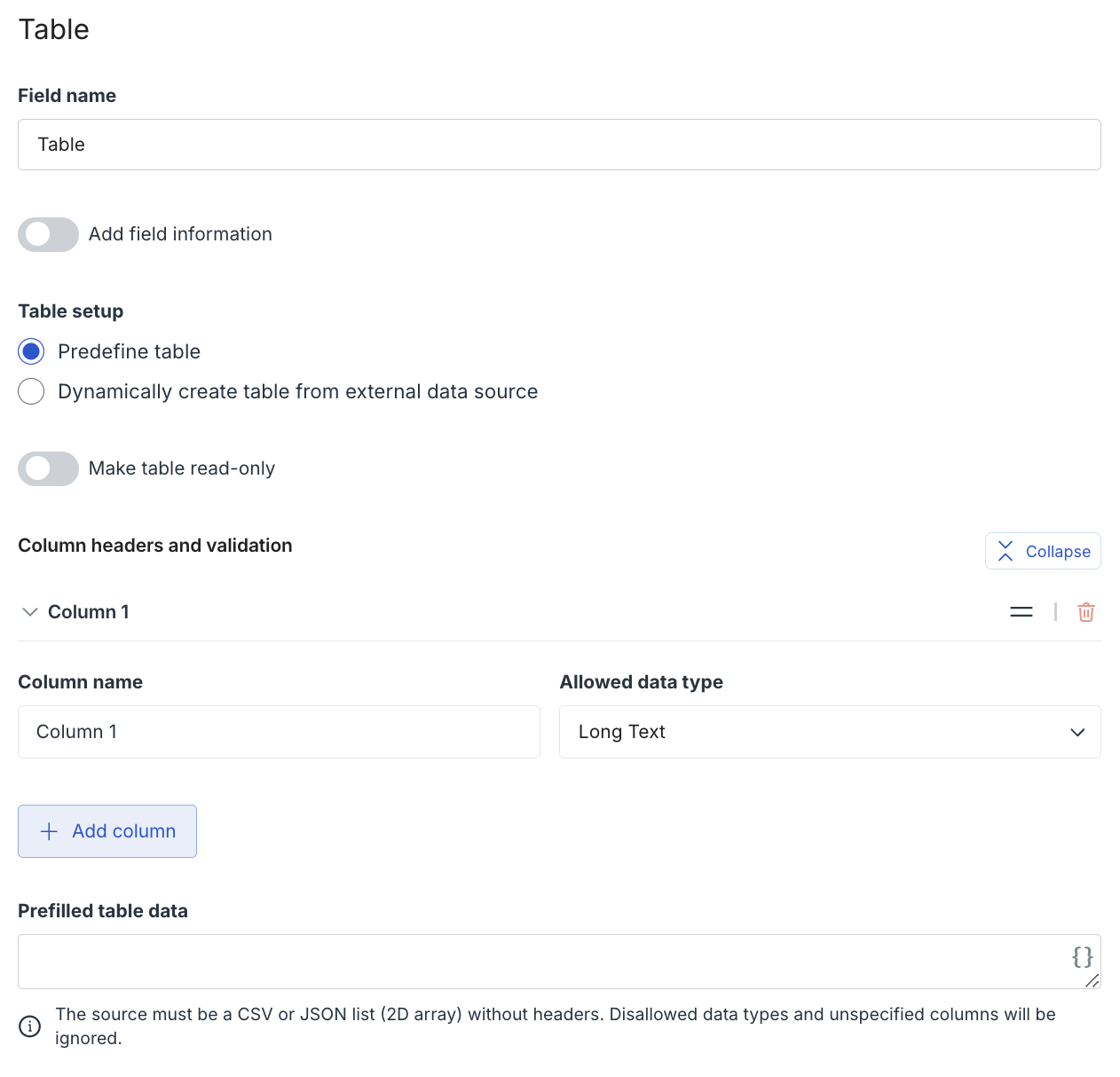
New in table form Fields: Long text inputs!
We’ve just added a brand new input type to the table form field: long text fields!This update allows teams to collect more detailed responses from end-users — perfect for structured notes, rich descriptions, or multi-line inputs.✨ Key Benefits:- More space for writing: Supports line breaks (
Shift + Enter) for better formatting - Improved readability: Wider and taller input fields
- Auto-wrapping: Reviewers can read full content at a glance without scrolling
- Newlines (
\n) from external data sources are respected (following JSON standards)
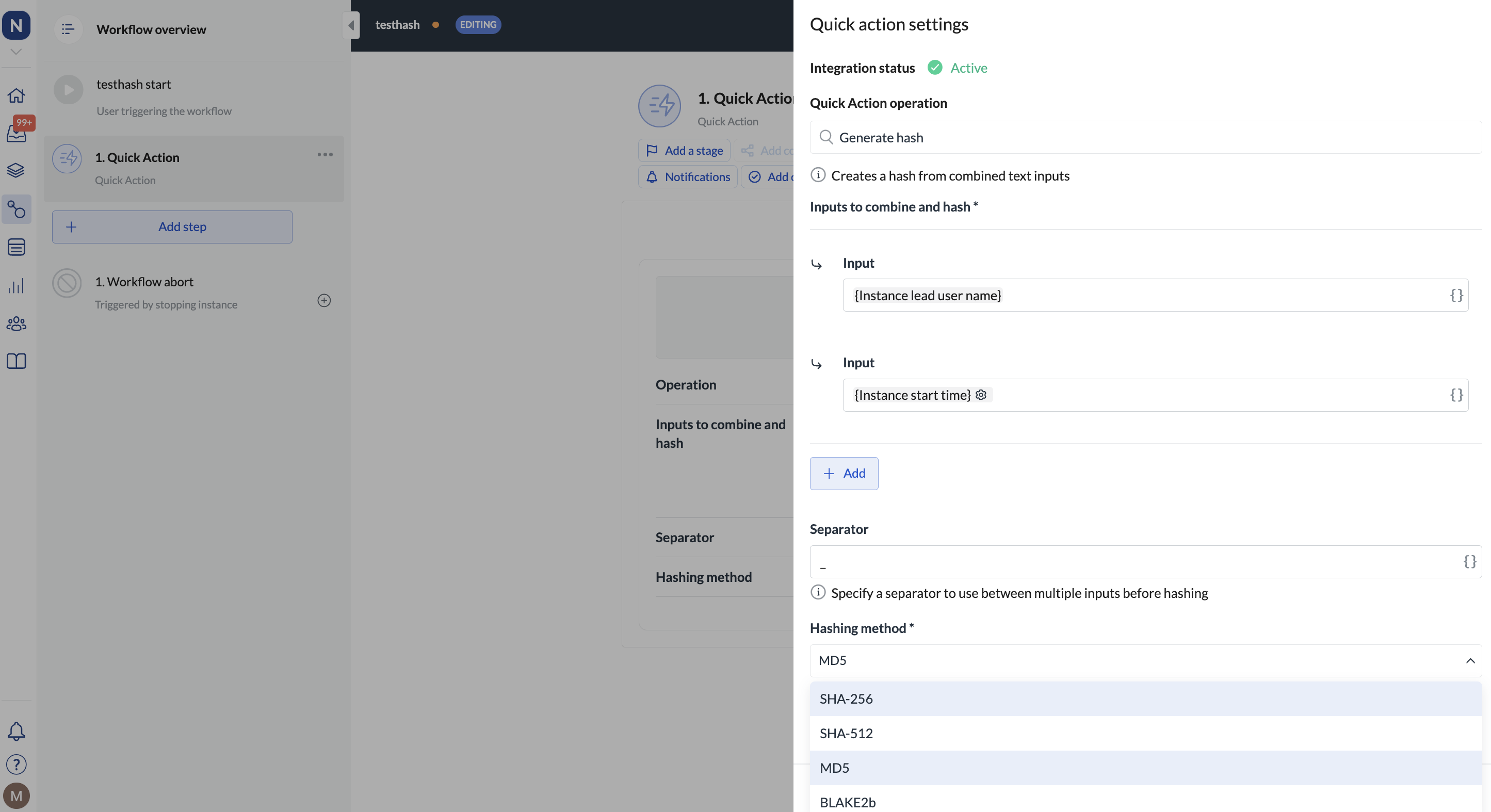
Quick action hashing feature
This new quick action allows you to concatenate multiple strings and generate a secure hash of the combined result. Hashing is essential for password storage, data integrity, and digital signatures, ensuring security while optimizing storage and retrieval speeds. It can be used to:- Securely store user credentials
- Verify file authenticity and prevent corruption
- Ensure document authenticity
- Speed up database queries with unique identifiers.
- For details, see Generate hash
Get full control over tables with the new Read-only option
Easily set tables to read-only mode when you need to display data for review while preventing edits. This feature is perfect for workflows where viewing information is essential, but updates must be restricted at specific steps.The feature is available for both: predefined and dynamic tables.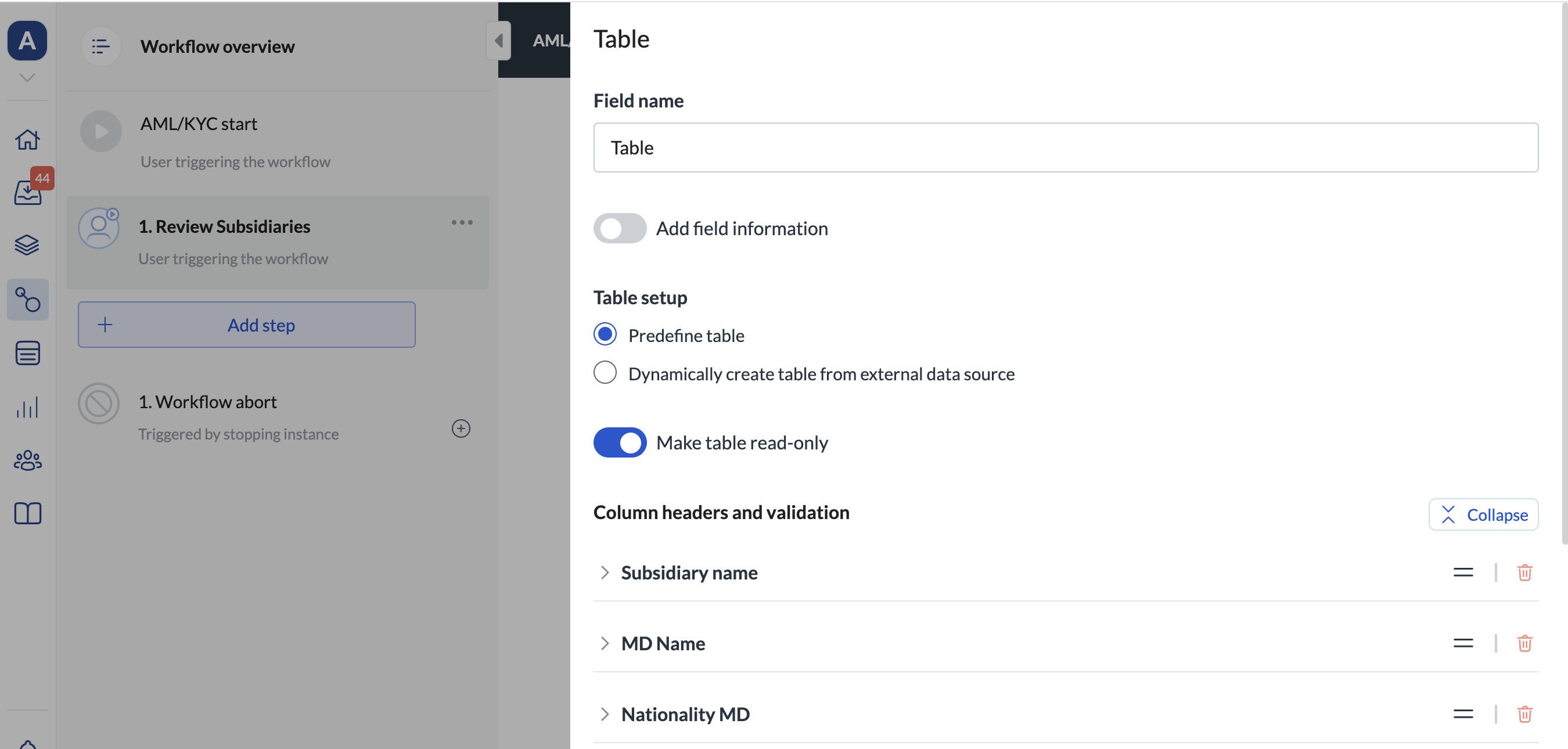
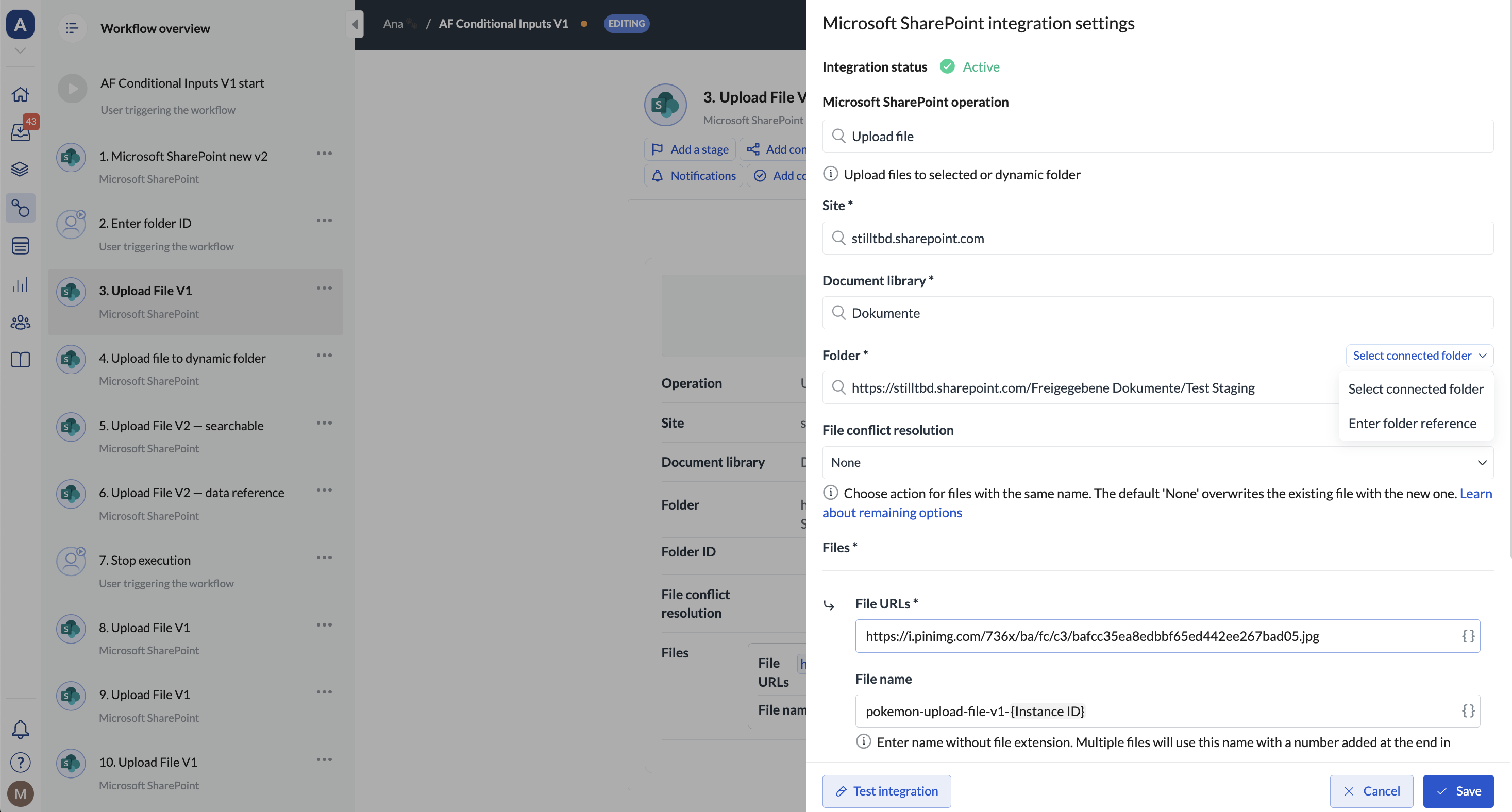
More flexibility in selecting folders for SharePoint no-code steps
We’ve updated the Upload file to SharePoint operation to give you more freedom when selecting the upload folder. Now you can:- Select a SharePoint folder from the drop-down list. The list will show all the folders you have access to.
- Type a folder ID or select a data reference for the folder.
Reporting made easy
If you were looking for a workaround to export instance or step data, look no further. Now, you can quickly do it with no-code Next Matter action. You can configure every detail of the export and display the data on your own custom template.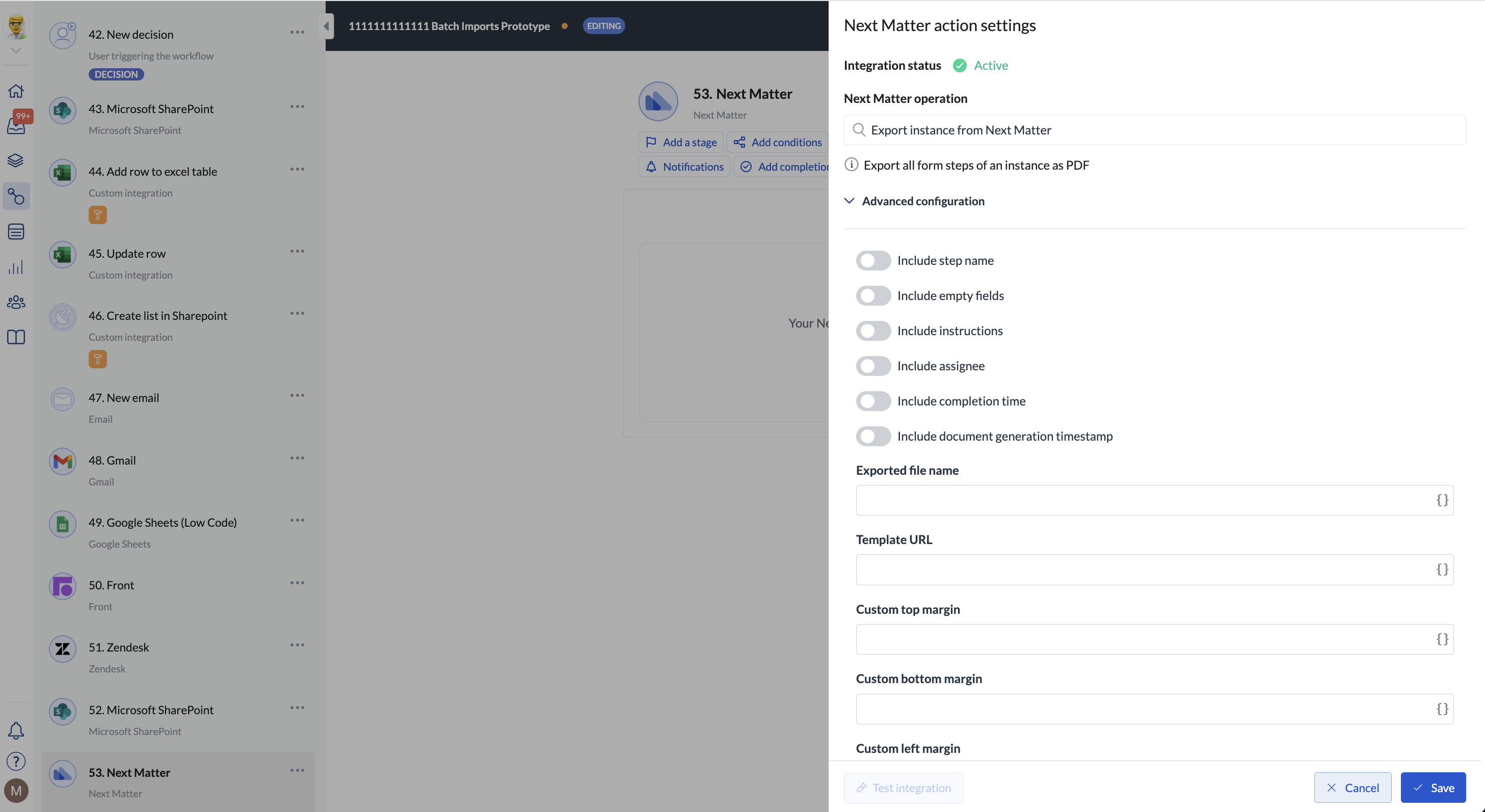
Same deadlines? Copy them across steps and save time!
If you enjoyed our Import conditions feature, you’ll be happy to hear we’ve added a similar option for deadlines and reminders. Now, you can effortlessly copy deadlines across steps without the hassle of setting them up individually every time.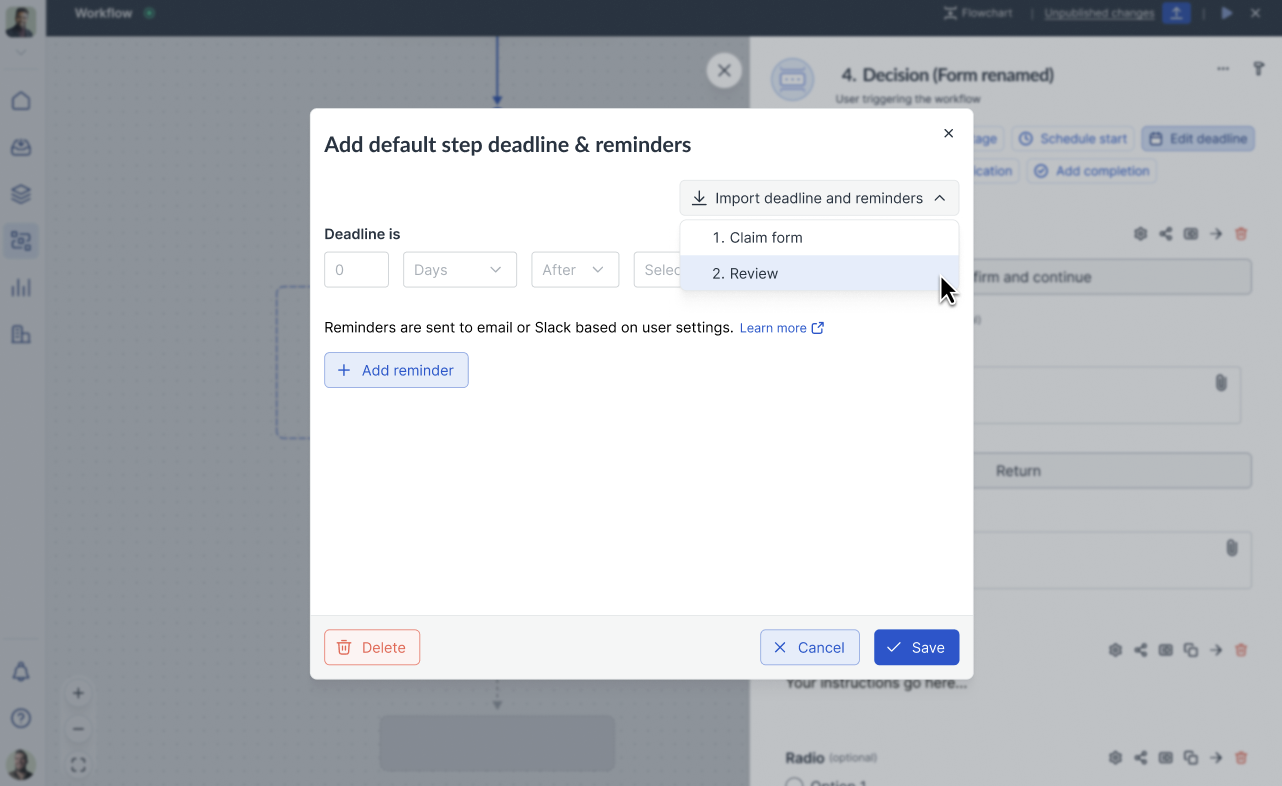
Can’t mess around with tables!
Now, you can ensure that users fill the tables with the expected content. The trick is to restrict the content to only allow a specific type of content in the columns. You can also help users by prefilling values so all they need to do is review them.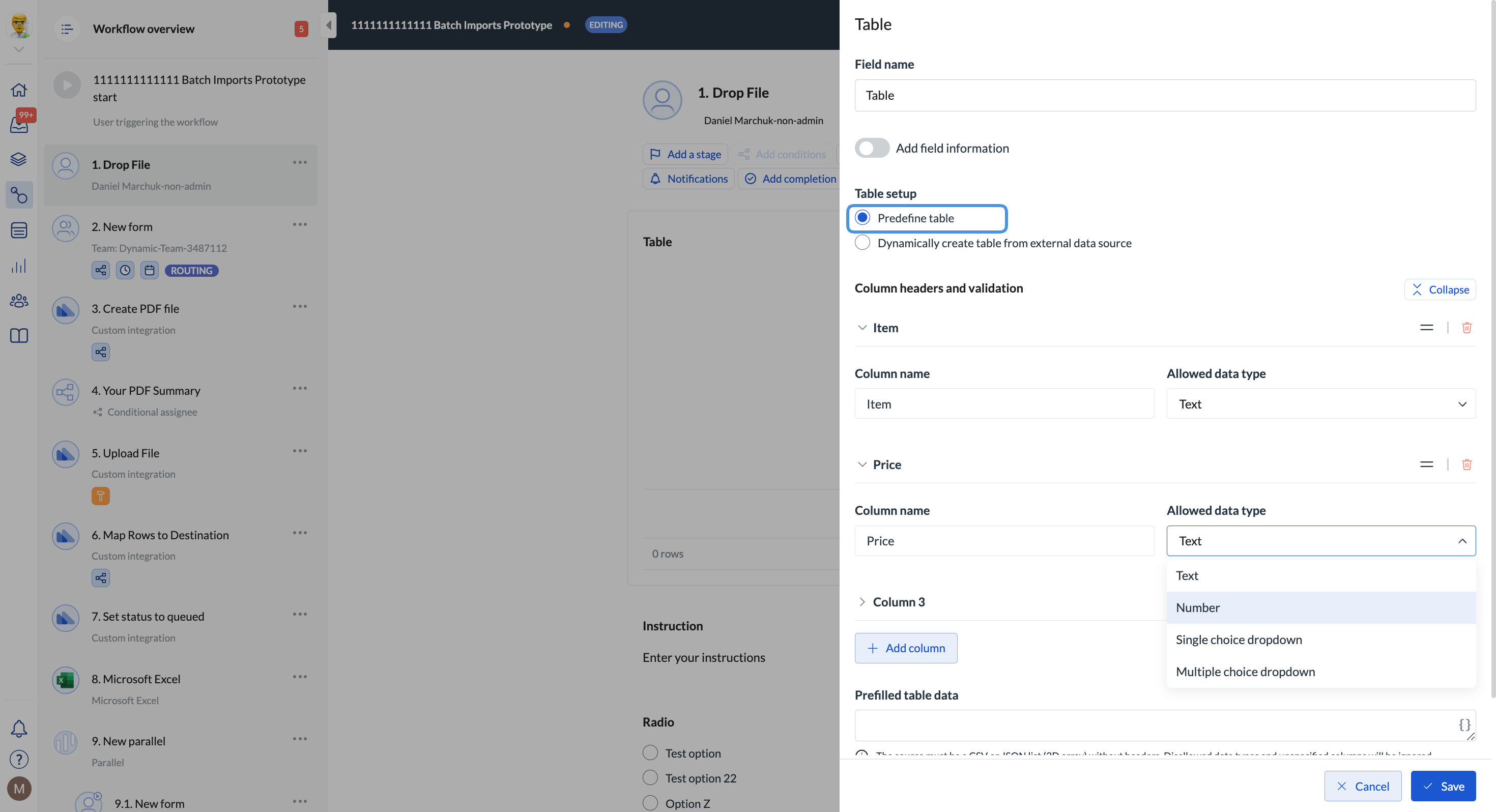
Get all Zendesk ticket details in one easy no-code step
Want to reuse Zendesk ticket data? Nothing simpler - use the new Get ticket no-code step and provide the ticket ID. We’ll pull all the data from the ticket, which you can turn into reusable chunks!Read more…Deactivated users
Now, when users leave your organization, they appear as Deactivated users on specific steps (including started and completed steps) and started and completed instances.Improved handling of integration step response variables and webhook trigger variables
We’ve improved the management of integration step response variables to enhance consistency and minimize errors. Here’s what’s new:Improved formatting: Response variables from webhook triggers and integration steps now display without [] brackets in JSON format, making it easier to use the values directly without requiring additional formatting. These changes streamline your workflows and reduce the risk of errors when working with response variables.Phew! No more deadlines on public holidays (unless you decide so)
You can now include and exclude specific days from deadlines to fit your organization’s working schedule. Don’t want to bother people with deadline messages arriving over the weekend? No problem — simply exclude Saturdays and Sundays from the deadline schedule. The same goes for public or even regional holidays! You can also apply the rule to scheduled steps so they start when it’s most convenient!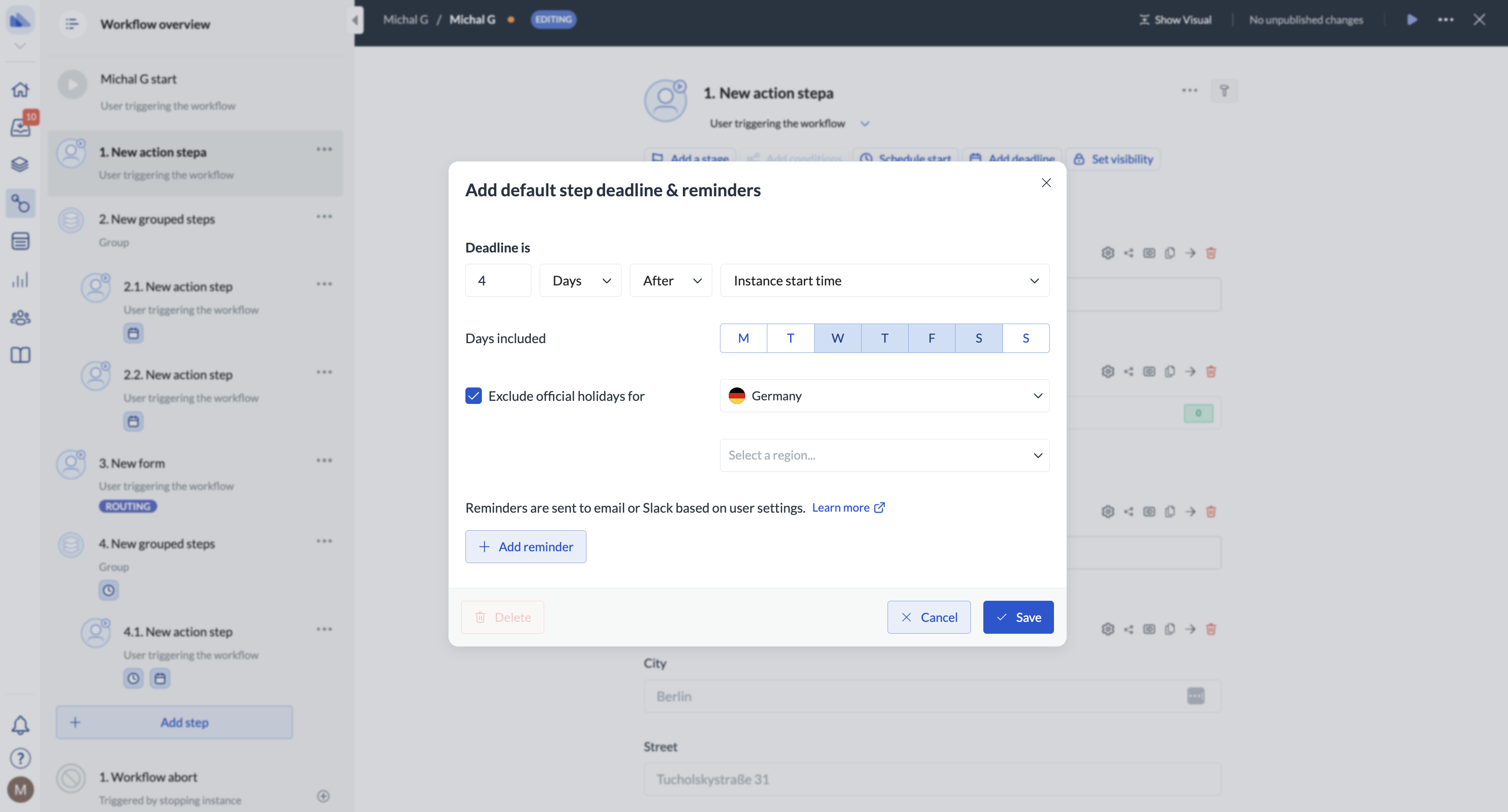
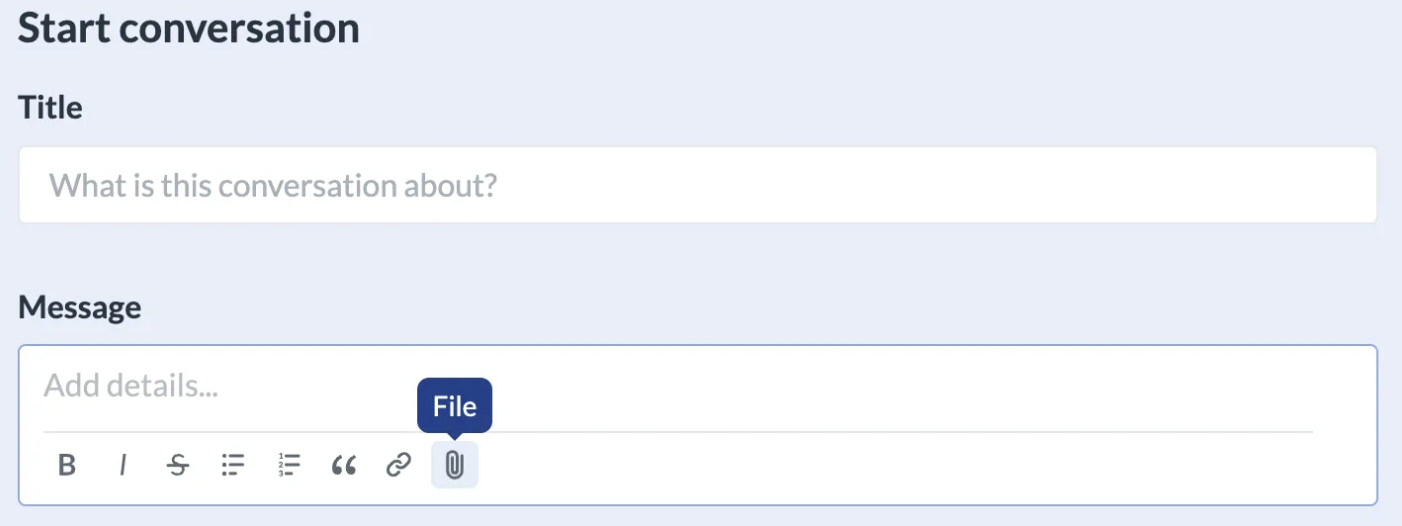
Make things clear with attachments
Want to show an image in a comment or a conversation? Or maybe you need to add a document to back up a review? Or, as a builder, you need to add a file to clarify instructions for end users? We’ve got you covered here - now you can upload and attach files to conversations, feedback comments, and instructions.