> ## Documentation Index
> Fetch the complete documentation index at: https://help.nextmatter.com/llms.txt
> Use this file to discover all available pages before exploring further.
# Product overview
> Operational excellence is key to any business. The clue is to build a flow that smoothly links tools, people, and tasks. This is where Next Matter shows its value.
In Next Matter it's all about workflows. A workflow is a chain of steps or tasks, sometimes complex and sometimes simple but tedious, that helps to get the work done in a timely and quality manner.
## Workflow pillars
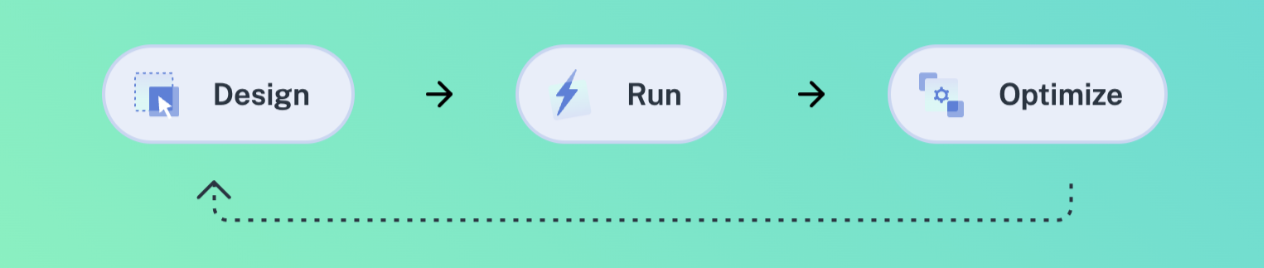
A good workflow rests on 3 pillars:
* You collaboratively custom - **design** it taking into account the stakeholders
* You test and **run** it so that it can get honed in action
* You **optimize** it by addressing bottlenecks for best performance and infallibility
 ### Design
This is a collaborative stage where you outline your flow, draft tasks, assign people and teams, and connect all the necessary tools. The key player here is the **builder**, who works with the stakeholders to create a smooth process, map out dependencies, and connect the necessary technical stack.
Next Matter offers a comprehensive **Builder toolbox** that enables builder teams to achieve their goals. The toolbox consists of a visual workflow editor, no-code quick steps, **enterprise automation** tools that allow for third-party connections, a form builder, and more.
### Run
This stage is the grand launch. Let your clients test what you've built. Do they love it? Are the flows clear? Are you getting the data you need?
Run your workflows and see how much redundancy has been eliminated, and how easy it is to collaborate with teams when you are sure they have received the right message at the right time.
Here Next Matter supports you with workflow versions allowing for transparent change management, clear overviews for internal and external participants where they can track progress, and user hubs (portals) where you can offer easy access to the flows your teams need. **Team apps** and **Guest apps** are solutions enabling internal and external collaboration and information exchange inspiring confidence that things are on track and boosting transparency.
### Optimize
This stage helps you look at your SLAs and make sure you're delivering on your promises. With aggregated start and completion data at hand, you can spot issues before they happen and address all bottlenecks in due course. This is also the time to analyze and tweak performance, making your operations efficient but still user-friendly. It's a good idea to double down on compliance and with Next Matter logs and timestamps neatly stored, you're not missing a beat.
**Manager dashboard** is a set of features leveraging analytics that give insights into your operations and performance. Having data like completion times at your fingertips, you can plan to scale and grow.
## Workflow roles
Creates and manages workflows
Completes tasks, runs workflows, takes over steps
Monitors progress and looks for bottlenecks
Starts requests and completes tasks
### Design
This is a collaborative stage where you outline your flow, draft tasks, assign people and teams, and connect all the necessary tools. The key player here is the **builder**, who works with the stakeholders to create a smooth process, map out dependencies, and connect the necessary technical stack.
Next Matter offers a comprehensive **Builder toolbox** that enables builder teams to achieve their goals. The toolbox consists of a visual workflow editor, no-code quick steps, **enterprise automation** tools that allow for third-party connections, a form builder, and more.
### Run
This stage is the grand launch. Let your clients test what you've built. Do they love it? Are the flows clear? Are you getting the data you need?
Run your workflows and see how much redundancy has been eliminated, and how easy it is to collaborate with teams when you are sure they have received the right message at the right time.
Here Next Matter supports you with workflow versions allowing for transparent change management, clear overviews for internal and external participants where they can track progress, and user hubs (portals) where you can offer easy access to the flows your teams need. **Team apps** and **Guest apps** are solutions enabling internal and external collaboration and information exchange inspiring confidence that things are on track and boosting transparency.
### Optimize
This stage helps you look at your SLAs and make sure you're delivering on your promises. With aggregated start and completion data at hand, you can spot issues before they happen and address all bottlenecks in due course. This is also the time to analyze and tweak performance, making your operations efficient but still user-friendly. It's a good idea to double down on compliance and with Next Matter logs and timestamps neatly stored, you're not missing a beat.
**Manager dashboard** is a set of features leveraging analytics that give insights into your operations and performance. Having data like completion times at your fingertips, you can plan to scale and grow.
## Workflow roles
Creates and manages workflows
Completes tasks, runs workflows, takes over steps
Monitors progress and looks for bottlenecks
Starts requests and completes tasks