> ## Documentation Index
> Fetch the complete documentation index at: https://help.nextmatter.com/llms.txt
> Use this file to discover all available pages before exploring further.
# My requests
> Track the workflows you started and any open tasks you have.
## Track your portal requests
If you have access to Portals and want to track your open requests and see their status, you can do it by clicking the **My requests** tab in the Portals left-hand navigation.
The read-only list will display all your requests showing the ongoing ones first and completed later. You can also sort the requests (workflow instances) by start and update times.
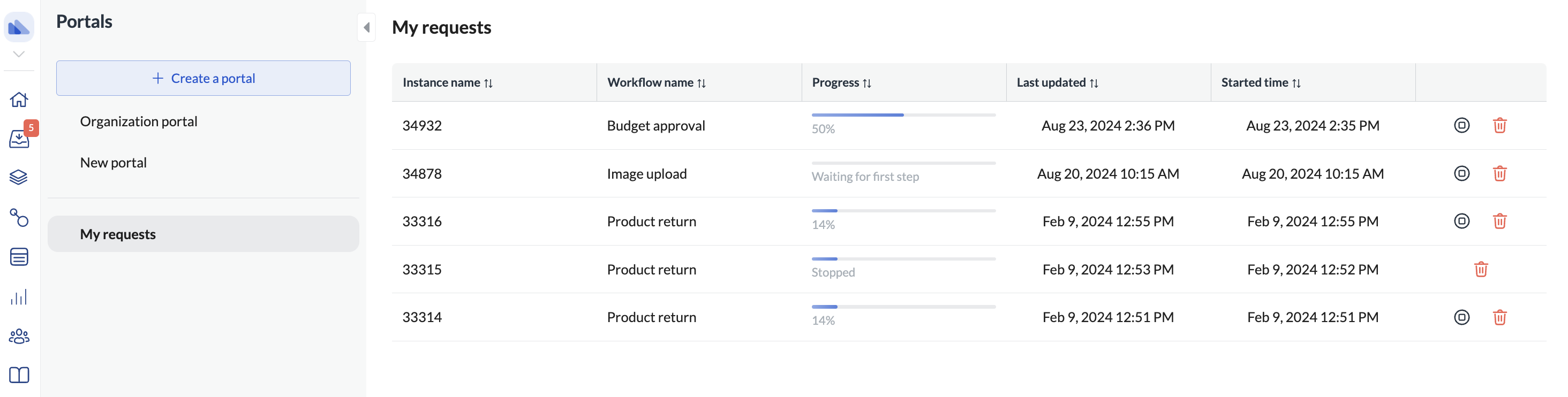 If you are a regular user of the entire Next Matter portal, you can click on each request and see the details of each instance.
If you decide the request is no longer needed, you can also stop or delete it.
## Filter open tasks
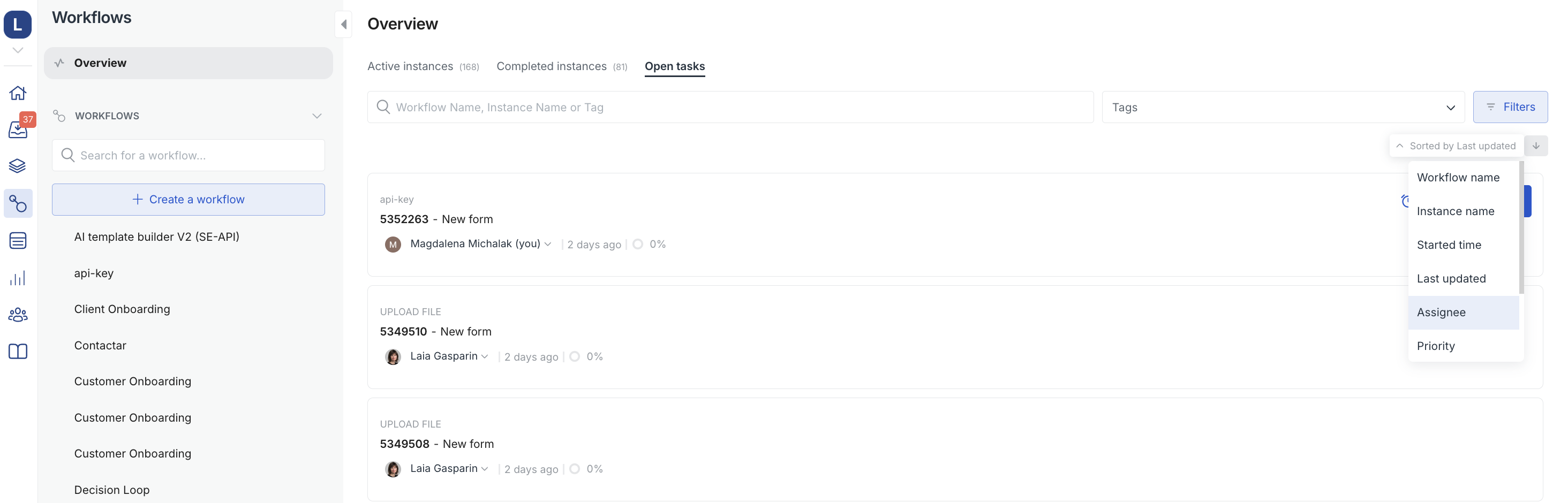
If you have access to **Workflows > Overview** you can click the Open tasks tab and filter the list by Assignee. This way, you'll find all tasks that you need to take care of that haven't been yet completed.
If you are a regular user of the entire Next Matter portal, you can click on each request and see the details of each instance.
If you decide the request is no longer needed, you can also stop or delete it.
## Filter open tasks
If you have access to **Workflows > Overview** you can click the Open tasks tab and filter the list by Assignee. This way, you'll find all tasks that you need to take care of that haven't been yet completed.