> ## Documentation Index
> Fetch the complete documentation index at: https://help.nextmatter.com/llms.txt
> Use this file to discover all available pages before exploring further.
# Branch your workflows
> Make sure your workflows cater for specific scenarios
In Next Matter, you can branch workflows using routing, conditions on steps, or group and parallel steps.
## Routing
You can set conditions that determine which path a workflow takes. This is typically done using the "Routing" step and helps manage scenarios when approval is needed.
For details, see [Routing](/docs/routing).
## Conditions
In the workflow builder, you can add conditions to individual steps and skip or run steps based on the specified rules.
For details, see [Conditions](/docs/set-conditions-to-a-step).
## Group and parallel steps
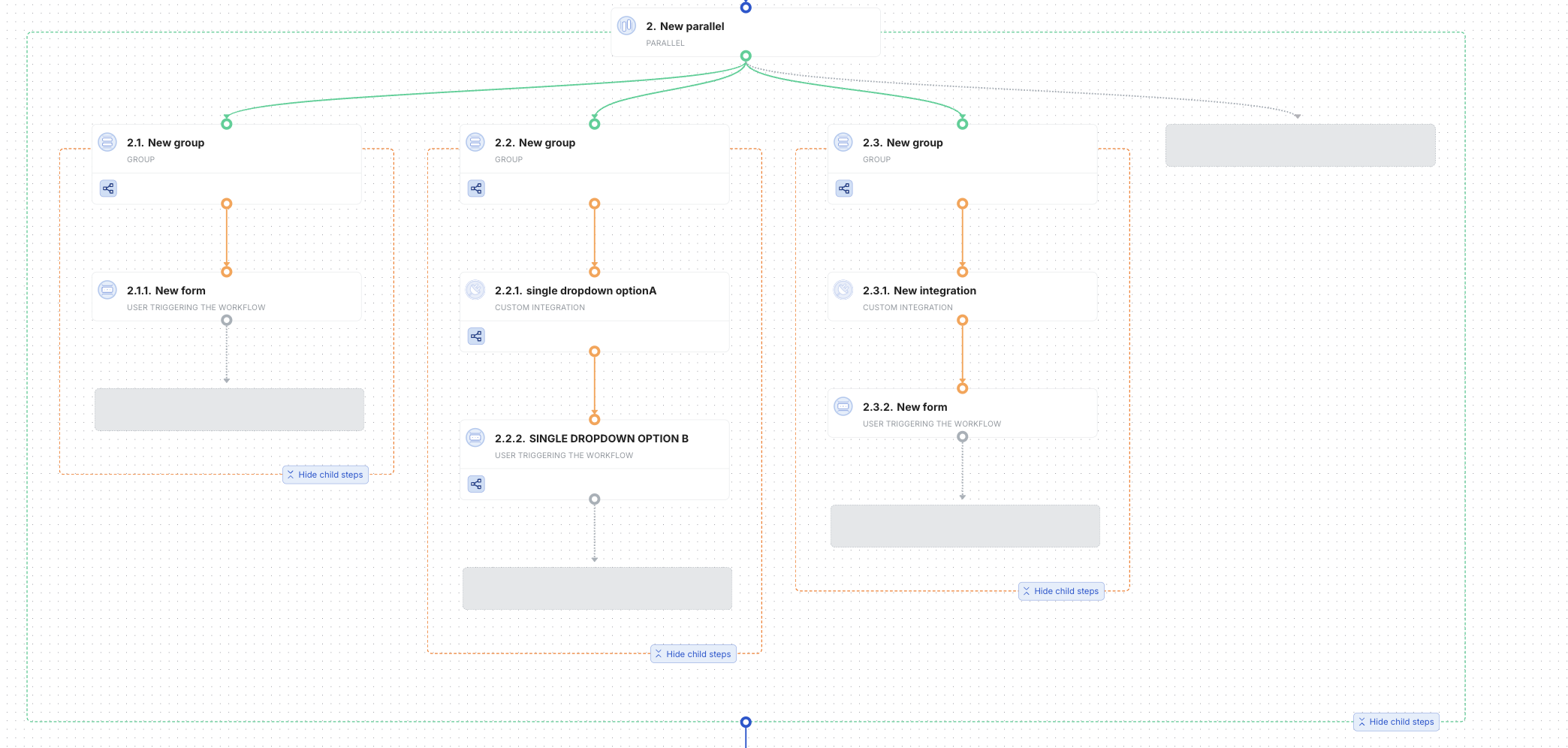
You can nest group steps inside parallel steps, creating mini sub-workflows while maintaining a clear and transparent structure. Steps in groups can be assigned to different teams or persons, who can work on them in parallel.
We support 2-level nesting (1.0 > 1.1 > 1.1.1).